
Deferred payment preorders on a Shopify store: How Shopify does it
Learn how to use the Downpay partial payments app to capture Shopify preorders and charge the balance when products ship, like Shopify does for their new POS Hub and Victa Mobile devices.
Commitment on a long-lead product with $0 upfront
Shopify preorders help merchants build early demand and plan and fund production. But many shoppers hesitate when asked to pay the full amount months in advance, and there may also be regulatory reasons not to collect payment before products ship.
Capturing orders but deferring payment collection until fulfillment is a natural solution, but it's not a workflow native to Shopify.
The flexible payments Shopify app Downpay provides that presale mechanism to merchants—including to Shopify itself!
Shopify recently used Downpay for preorders of two new pieces of POS hardware: the Victa Mobile handheld and POS Hub.
Read on to learn about how customers experience that flow, and how you can set up $0-deposit preorders on your own store.
Customer experience
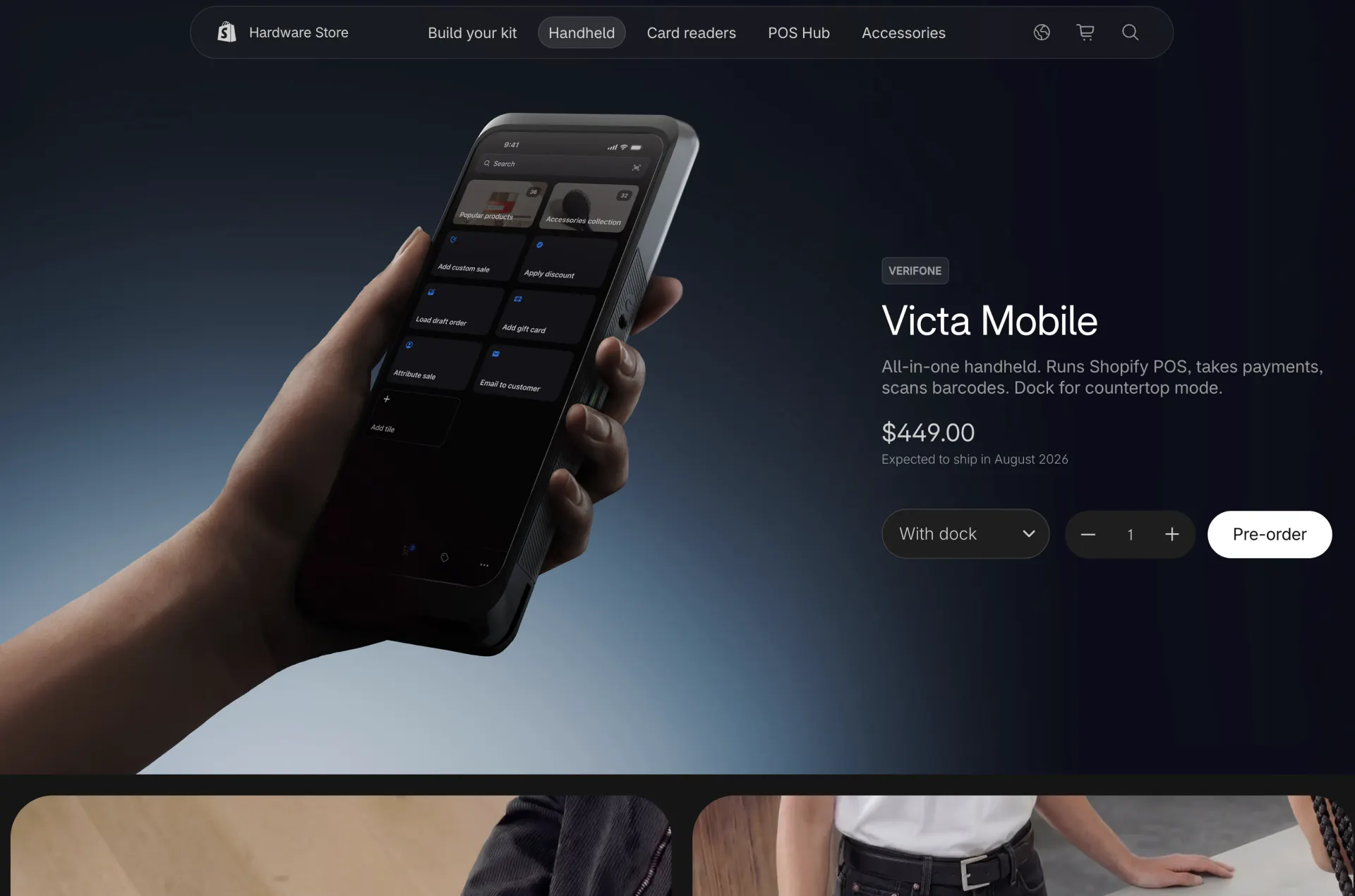
1. Product page
- The customer can see an expected shipping date.
- They use a custom button to add the product and any related products to the cart.
2. Cart
- Info about the preorder also appears, including a notice about unified shipping if the customer added related products.
3. Checkout
- The payment summary shows a due today amount of zero and the balance due on the shipping date.
- They enter their card details, to be charged later.
How to set up deferred payment preorders
1. Install Downpay
Downpay adds support for deferred payments and deposit payments to Shopify.
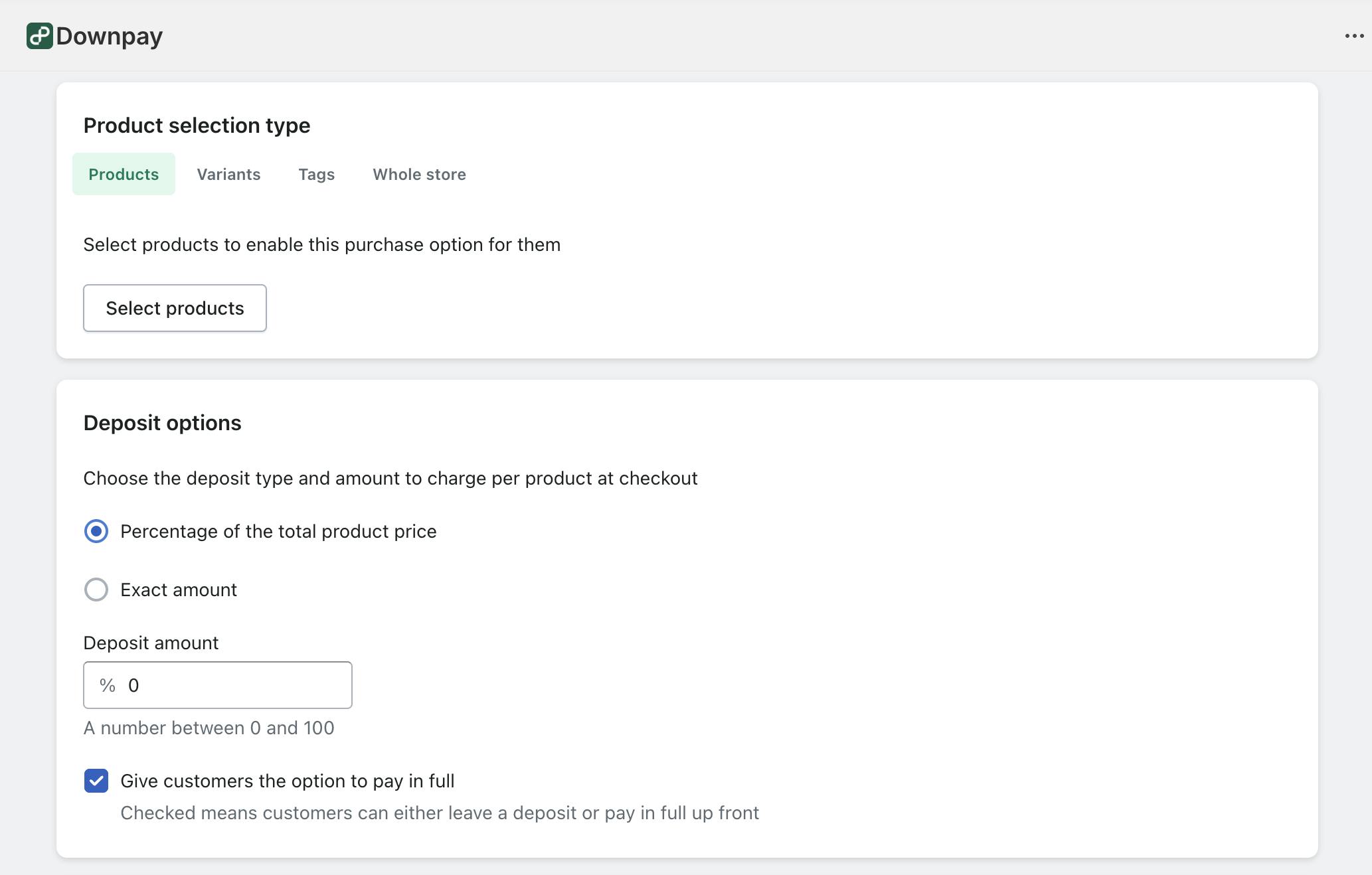
2. Create a purchase option
Set a 0% deposit amount. This means 100% of the price will be collected:
- On a specific date for time-based launches
- On fulfillment for natural operational timing
3. Assign the purchase option to the product
Apply it to a single variant or to one or more products.
4. Add preorder messaging
Share the ship date, production timeline, or other key information. Typical patterns for transparency include:
- Shipping window listed on the product page
- Cart message confirming further details
- Checkout summary text matching your scenario
5. Collect payment
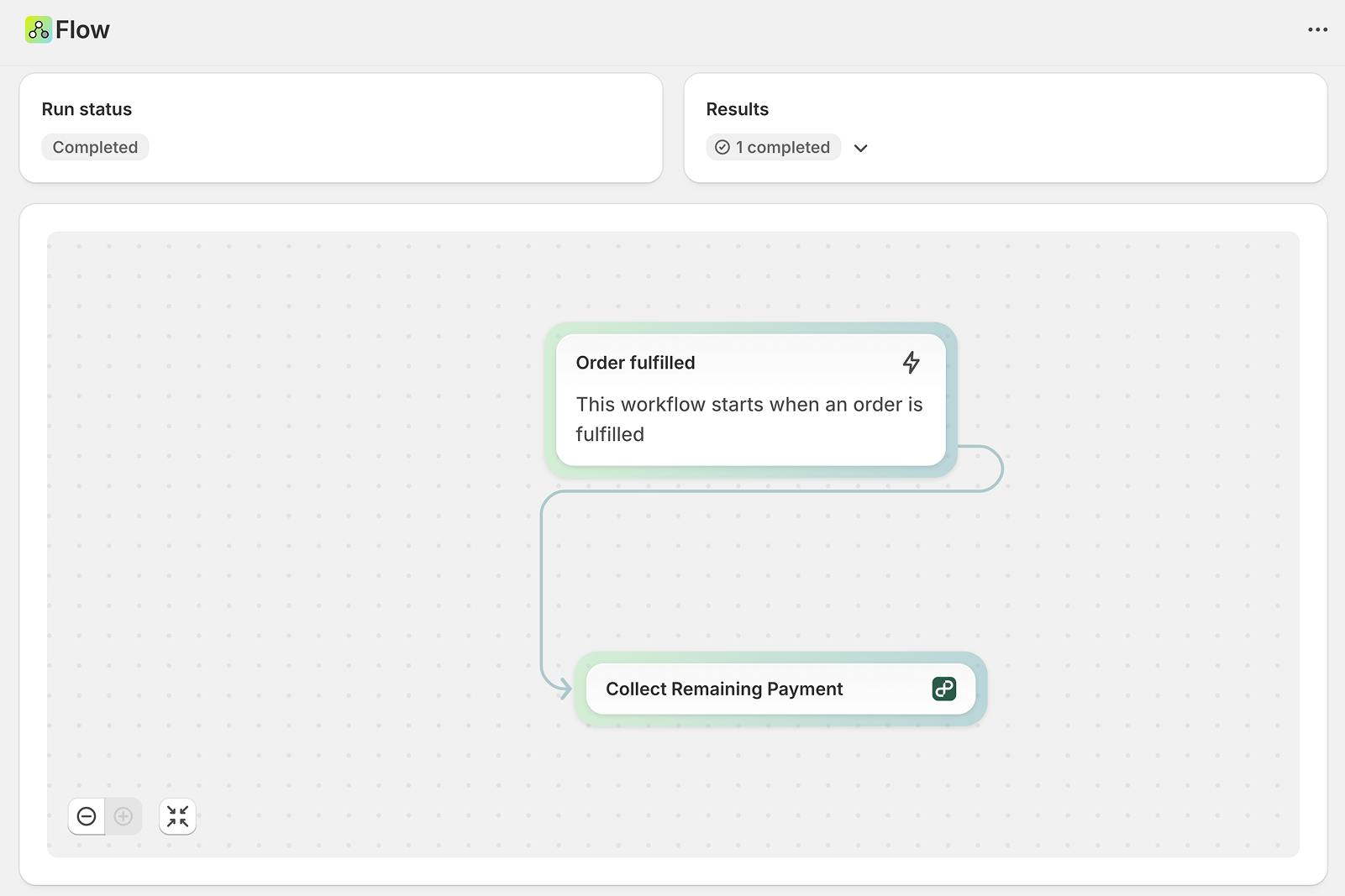
Use Shopify Flow to collect payment automatically. A common flow uses:
- Trigger: Order fulfilled
- Action: Downpay collect remaining payment
You can also collect payment with Downpay's API or manually.
Benefits for preorders
Accurate demand forecasts
Notification lists capture interest, but don't convert well. Downpay captures real orders with customer payment methods on file.
Predictable cashflow
Completed checkouts mean easier cash allocation for production. Frame Fitness saw a 100% collection rate after implementing Downpay.
Transparency
Clear payment options and self-serve order management tools build trust and grow loyalty.
FAQ
Can customers use any payment method?
Downpay supports Shopify Payments, Stripe, Paypal Express, and Adyen (Shopify Plus only).
When is the balance charged?
Using Shopify Flow or Downpay's API, you can collect on fulfillment, on a date you select in the selling plan, or on any other terms that work for your business. You can also charge balances manually.
Can I charge a nonzero deposit amount?
Yes. You can select any deposit amount, such as 10 percent or a fixed price per product.
Does Downpay support mixed carts?
Downpay also supports mixed carts, where some items are part of a preorder payment plan and some are not.
What other use cases does Downpay support?
Brands use Downpay deposits for high-value items, custom and made-to-order products, bookings, and more use cases.